Getting started
Your first hour: the controls, Brookhollow, and your first hunt.
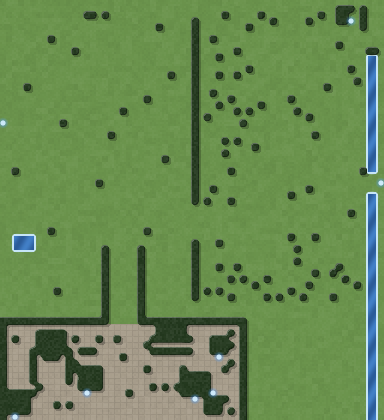
You wake in Brookhollow, a walled town in the south of the first region. Nothing can hurt you inside the walls, and nothing can be attacked there either.
The controls
| Key or mouse | What it does |
|---|---|
| Left-click the ground, or hold W A S D | Walk |
| Left-click a monster | Attack it (you walk into range and keep attacking) |
| Left-click a person | Talk, trade, bank or take on quests |
| Left-click a loot sack | Open it and take what you want (Space takes everything). Sacks sit on a glowing gold ring that brightens under the mouse |
| Left-click food or a potion in your bag | Eat or drink it (dragging only moves it) |
| Right-click something in your bag | A menu: equip, use, cast or read it, put a tool on your tool belt, or drop it (the whole stack or one). Dropped things become a loot sack you can pick up again until it fades |
| I / E / C | Bag, equipment, character |
| J / K / L | Journal, achievements, bestiary |
| 1 / 2 | Eat or drink your best healing food or potion / your best mana potion |
| 3 / 4 | Cast your best attack rune / healing rune |
| Q / R / F | Your vocation's first three abilities (G: the fourth, after your vocation trial) |
| O | The wardrobe: hats, capes and colours (looks only), and your pet and mount |
| H | Get on or off your mount (outdoors only) |
| M | The map: every region, its levels and the way to it (World), or this region in full (This region) |
| Esc | Stop attacking, close windows (a shop or bank goes back to the conversation first), open the menu |
| F3 | Show debug info (frame rate, tile) |
Every window also has a button on the toolbar under the minimap, with its key in the corner. Drag a window by its title bar to move it. The game remembers where you put each window for your screen size. A newly opened window steps aside so it doesn't cover another, and Settings → Reset window positions puts them all back.
Every window can be dragged by its title bar and remembers where you put it.
Characters and saves
The title screen lists every character you have made. Each has its own saves, so you can try another vocation without touching your first one.
- Continue loads the character you played last.
- Play loads any character's newest save. Rename changes their name, and Delete asks twice before removing them.
- In game, click the ✎ next to your name in the Character window (C) to rename. The new name shows everywhere at once.
- The game starts in fullscreen. Switch to a window in Settings → Display → Window.
- The game saves itself every few minutes. You can also save from the menu (Esc).
Your first steps
The game shows a short guide under the minimap for new characters. It follows the same route as this page:
- Talk to Elder Maren by the north gate. She gives you your first quest, A Warm Welcome.
- Meet Tobias at the market and Banker Edda by the church to finish it.
- Take Rat Problem from Maren and go out of the north gate to the meadow. Click a rat to fight it.
- Click the sack your kill leaves behind and take the loot.
- Sell your loot to Tobias (Trade → Sell, or "Sell all loot").
- Visit a shop: walk onto the glowing doormat in front of a door such as Garrick's Forge.
- At level 2, press Q next to a monster to use your ability.
- Bank your savings with Edda. Gold in the bank is safe if you are defeated.
Choosing where to fight
Hover over a monster: the colour of its name tells you how dangerous it is for you.
- Green (Easy) is safe but slow.
- White (Suitable) is where you should be.
- Orange (Dangerous) is possible with potions.
- Red (Deadly) means leave.
See the levelling guide for where to go at each level.
What next?
- Buy a Fishing Rod, Iron Pickaxe or Sickle from Tobias and try gathering.
- Pick up quests from people with a ! in their talk window.
- Check the vocation guide to make the most of your class.
- Once you have visited a few towns, use waystones to travel between them.
- Try rifts from level 10: random three-floor dungeons from the Rift Stones.
- Set gems into Fine and better gear at a jeweller's bench.
- In Settings → Display → Camera, try Close or Free look, and press F10 for photo mode.
- From level 3, ask Elder Maren about The Waking, the story of Emberwild.
- Each day there's a daily bounty: check the top of your journal.
- Can't find someone? Journal → People shows where everyone is and marks them on the map. See Towns and people.
- Click walls, stiles and stepping stones to cross them and train Agility.
- Try the Diaries tab in the journal (J): region diaries are lists of things to do in each place, with lasting rewards.
- In Settings → Sound you can set the Ambience volume (birdsong, waves, wind, dripping caves) and switch the Sound style between the Rich effects and the original Classic ones.